Log your workouts.
See your progress.

Plan your routines, log sets and reps, and track your strength over time. Includes rest timers, exercise guides, and body measurements. Free to start, with no ads.

Custom
Build your own routines
1,100+
Exercises with video guides
Ad-free
Train without distractions
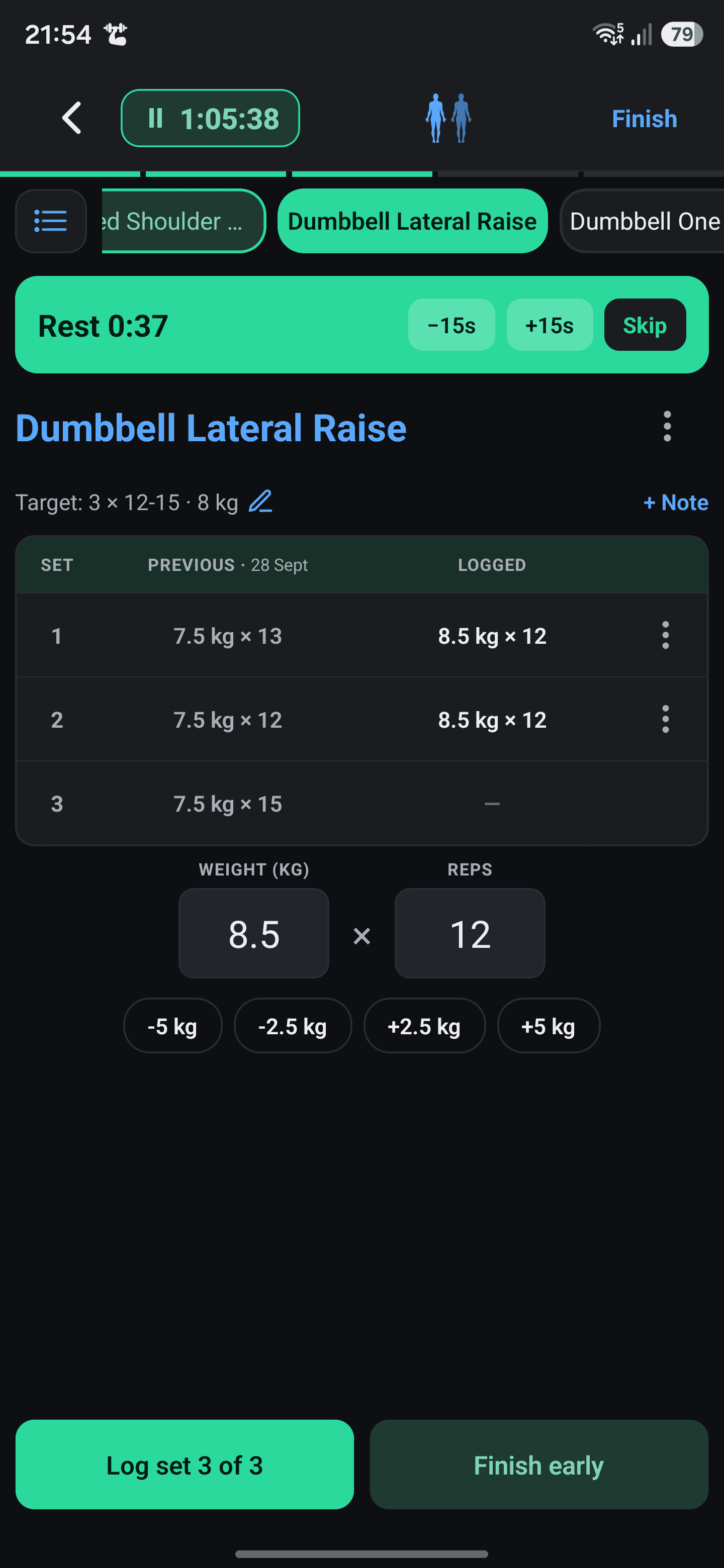
TrrackFit workout screen with previous sets, weight and repetition inputs, and a running rest timer
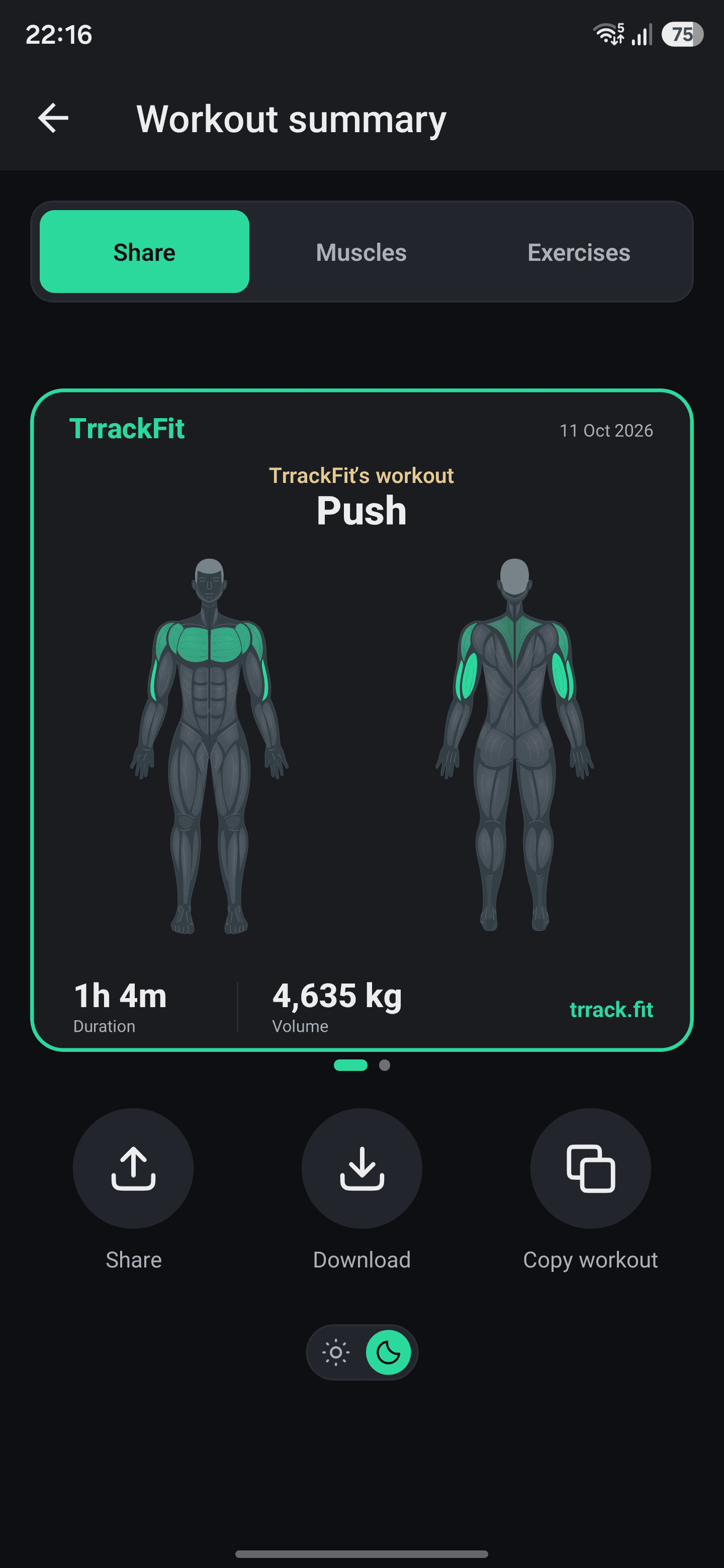
TrrackFit workout sharing screen with a muscle map, duration, volume, and share and download controls
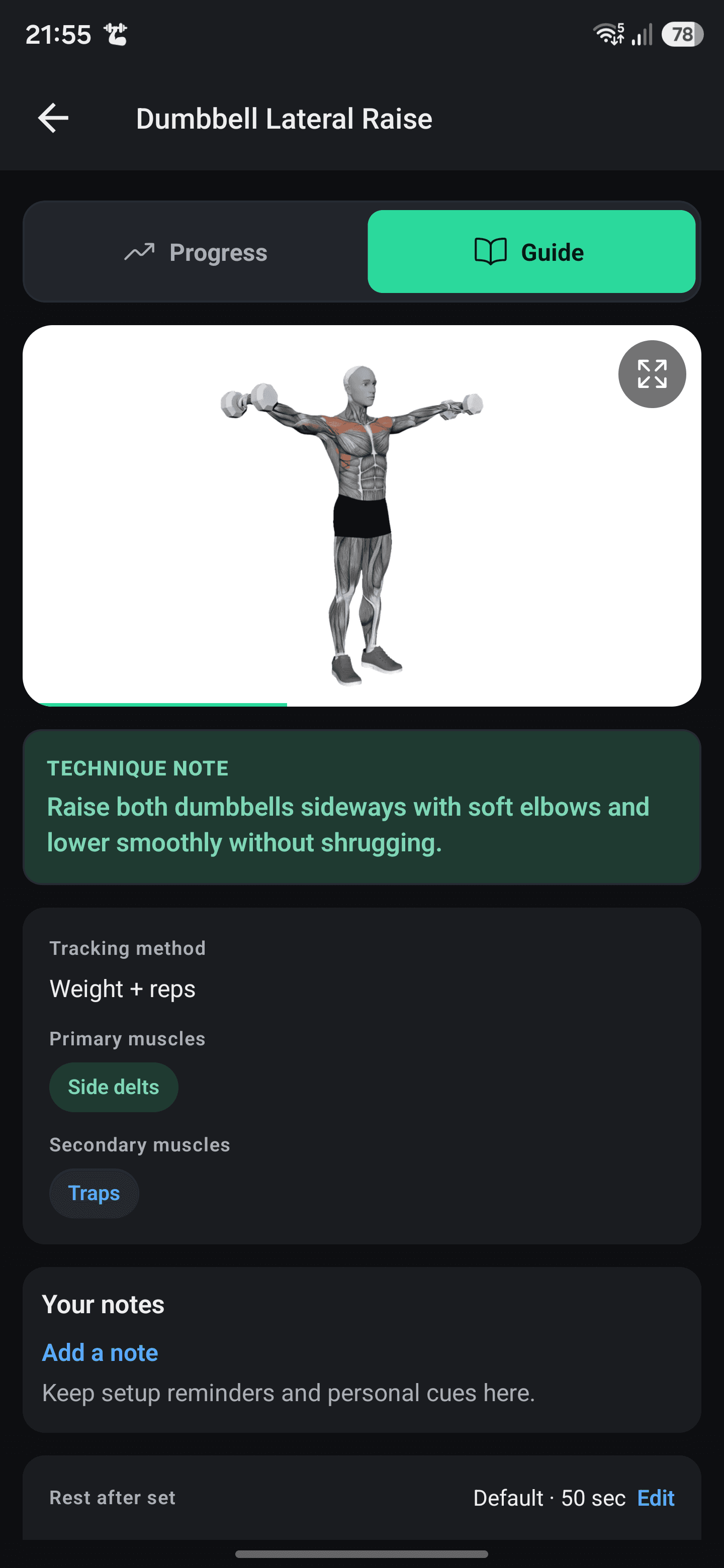
TrrackFit exercise guide with a movement demo, technique note, muscle groups, personal notes, and rest time
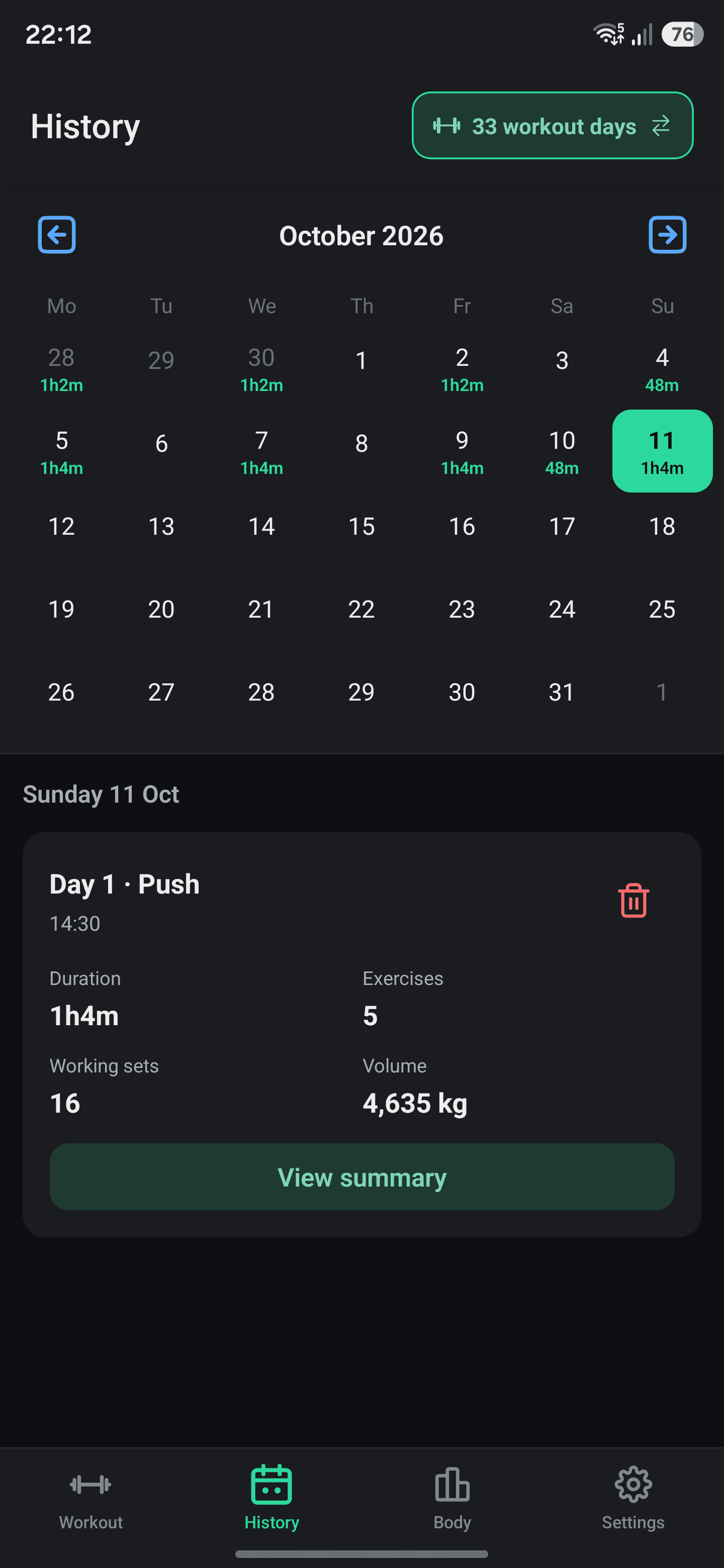
TrrackFit workout history with a training calendar and completed session details
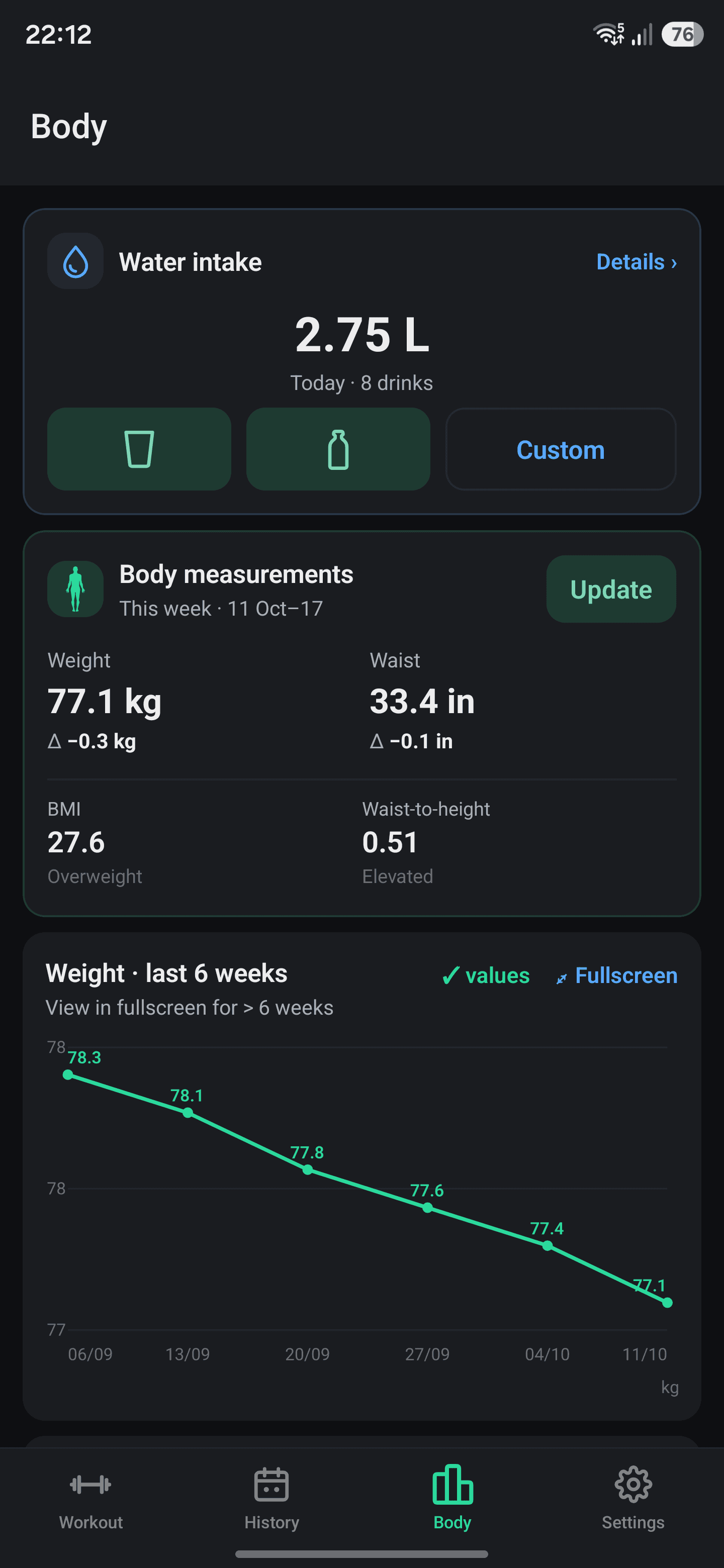
TrrackFit body screen with daily water intake, body measurements, and a six-week weight chart
How it works

Start simply. Train with focus. See what changed.

From choosing your first routine to reviewing your strength, TrrackFit keeps every part of your training in one clear flow.

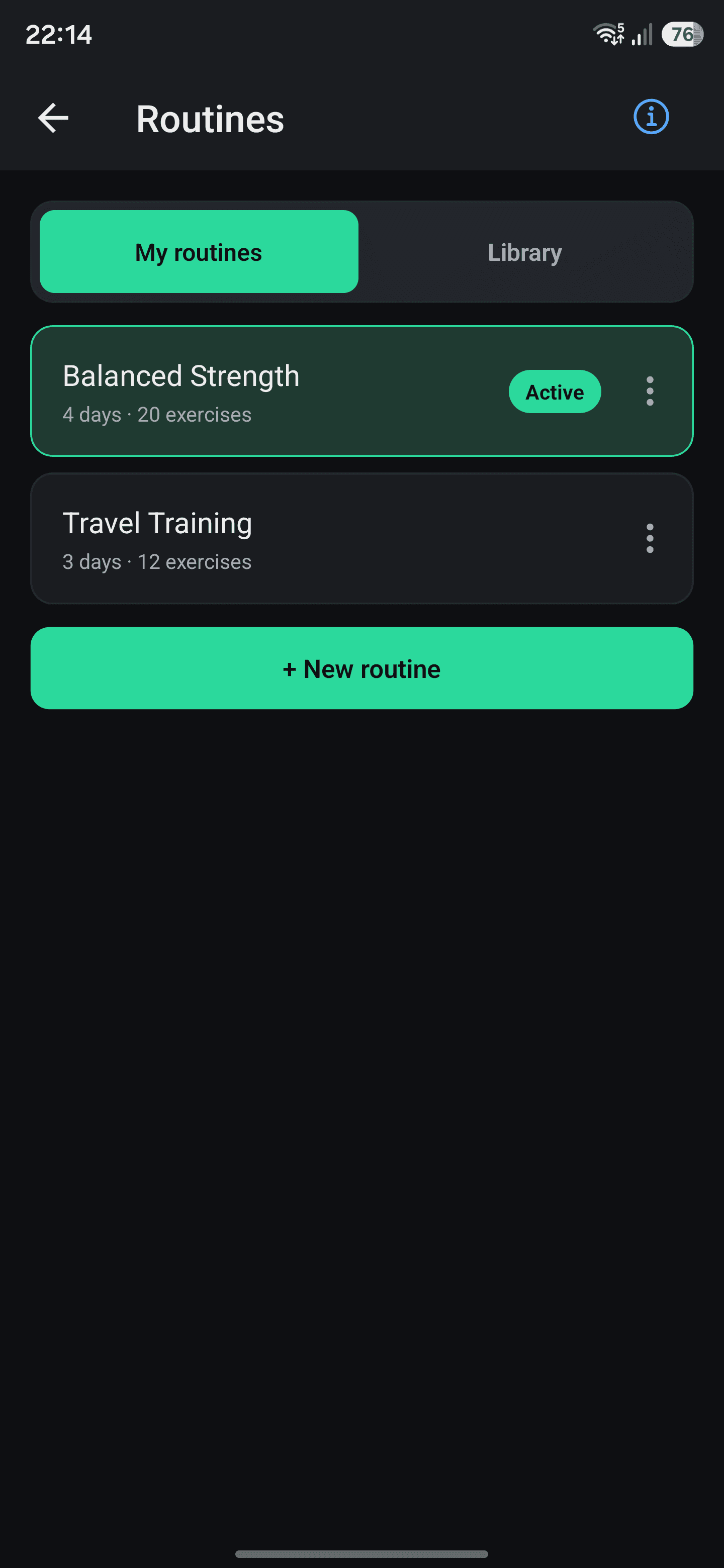
TrrackFit saved routines screen showing an active strength plan and a travel routine
01Routines

Start with a plan that fits.

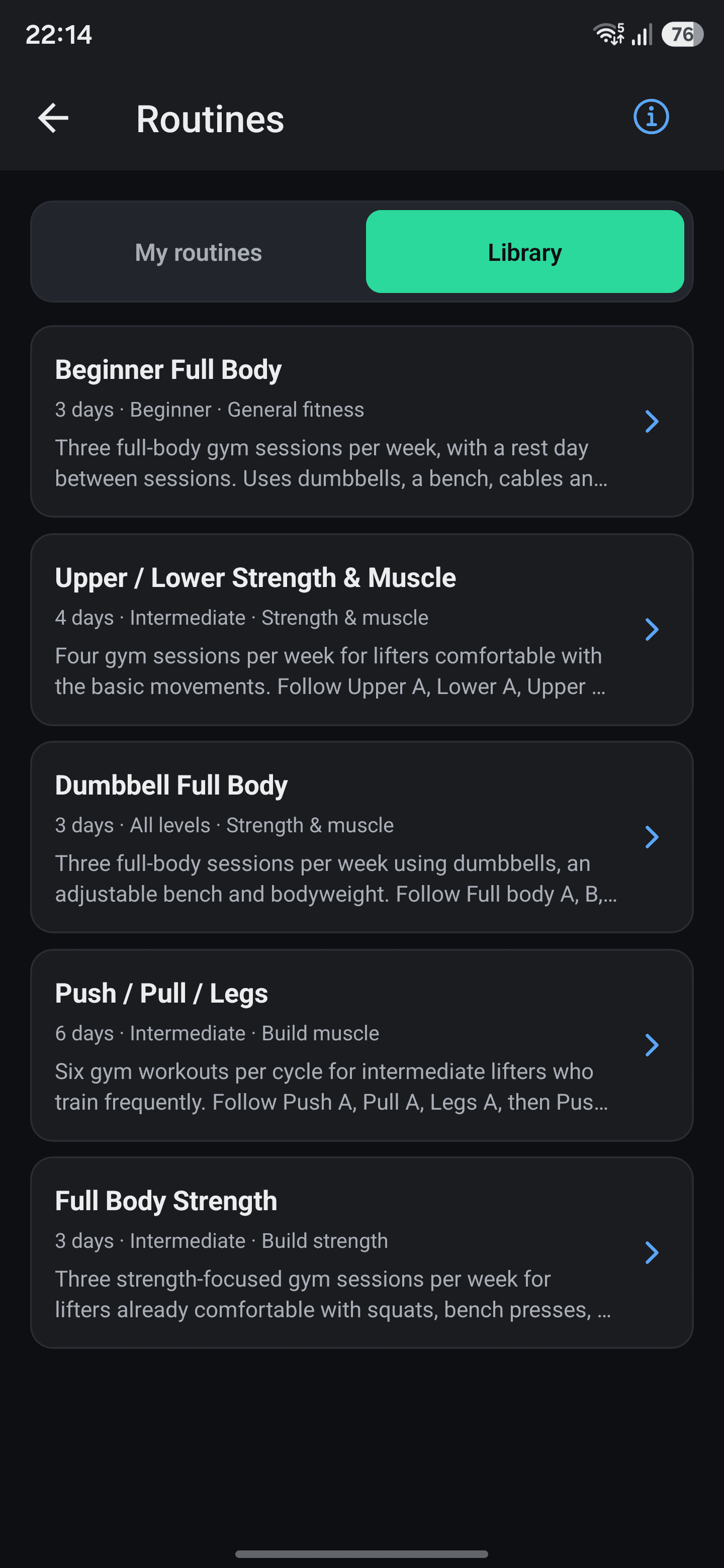
Create your own custom routine, or view, add, edit, and use example routines from the library. Make them fit your schedule, experience, and equipment, and keep your saved plans together in My routines.

  • Create and save your own custom routines
  • View, add, edit, and use example routines from the library
  • Keep multiple plans and choose your active routine
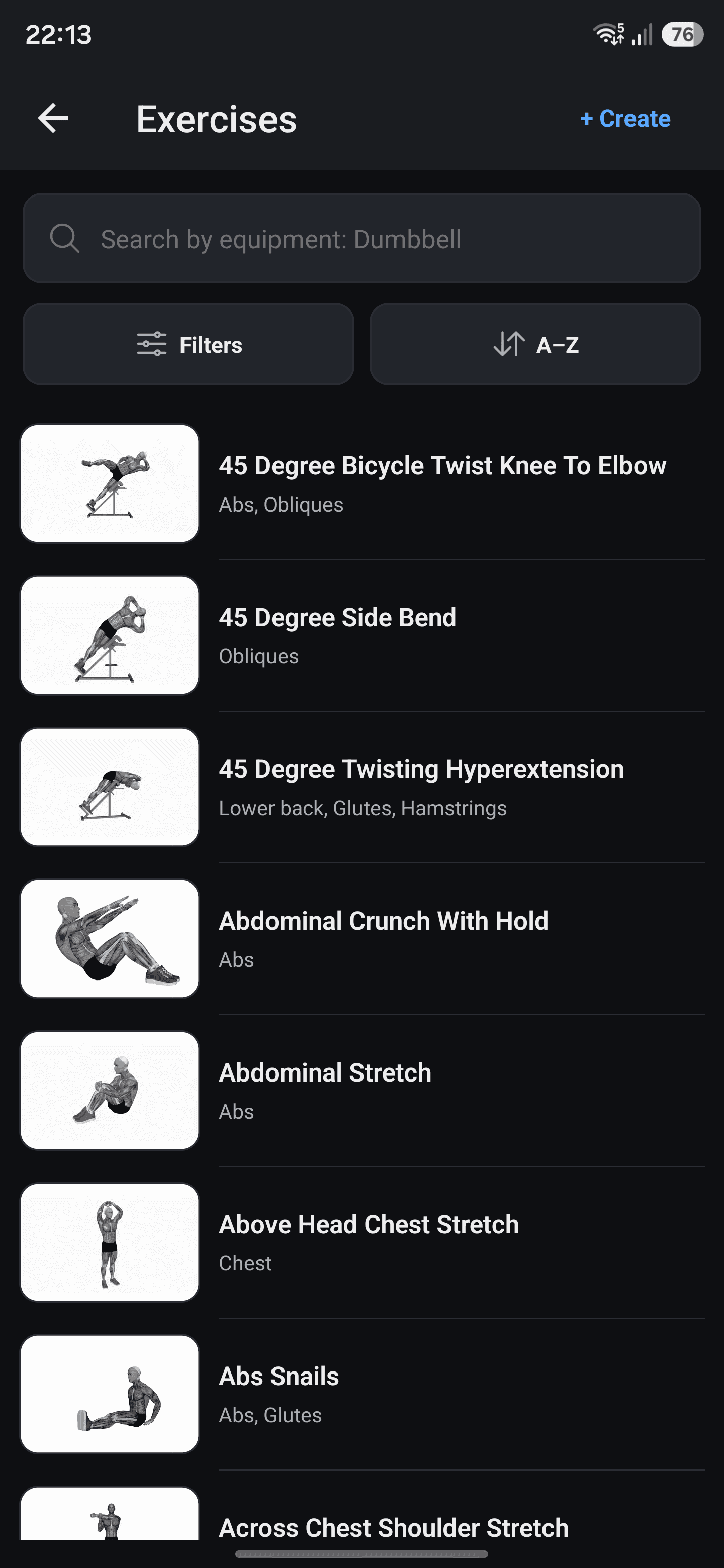
TrrackFit exercise library with search, filters, sorting, and custom exercise creation
02Exercise library

Find the right movement.

Search the built-in library, narrow it by primary muscle or tracking method, and open any exercise for details. Create a custom movement whenever the library does not fit.

  • Search the built-in library
  • Filter by muscle or tracking method
  • Create your own exercises
TrrackFit lateral raise guide with a movement demo, technique note, muscle groups, personal notes, and rest time
03Exercise guide

Check the movement. Keep your cues.

Open an exercise for a movement demo, a technique reminder, and the muscles it works. Keep your own setup notes alongside the guide and adjust the rest time for that exercise.

  • Movement demos and technique notes
  • Primary and secondary muscles
  • Personal notes and exercise rest times
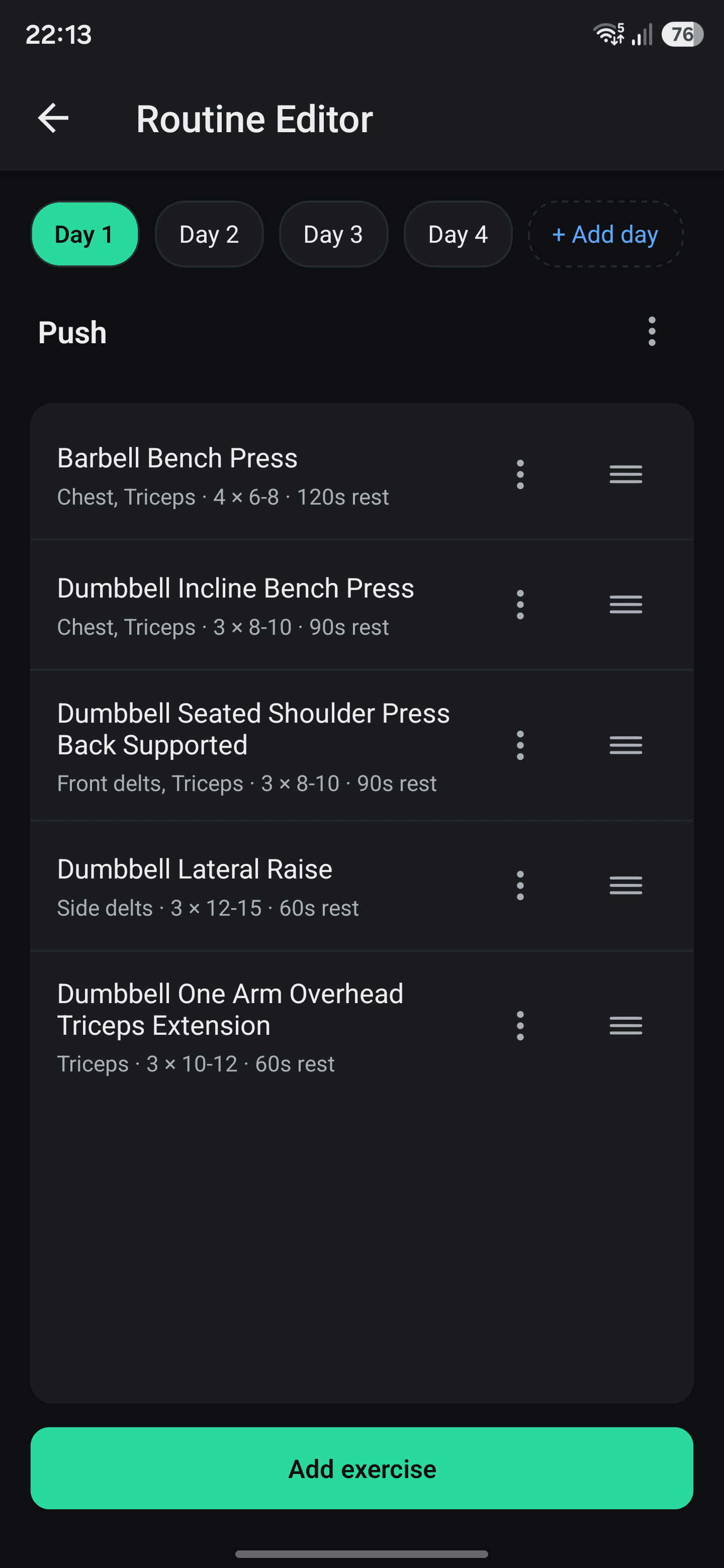
TrrackFit routine editor showing training days and an ordered exercise list
04Routine builder

Shape the week around you.

Organize each training day, add the movements you want, and put every exercise in the right order. Your routine stays flexible as your training changes.

  • Organize every training day
  • Reorder exercises in seconds
  • Set your target sets and reps
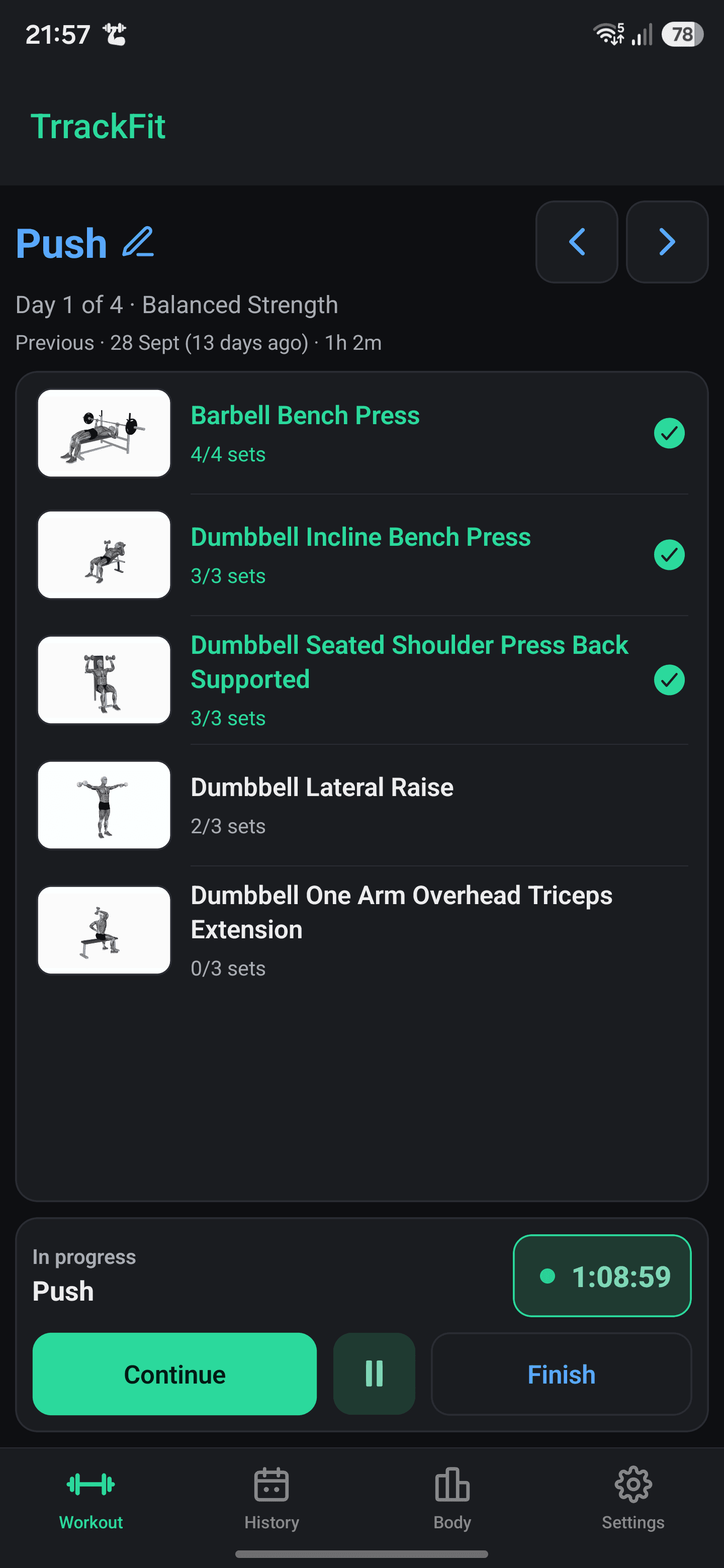
TrrackFit workout plan showing the exercises for the day
05Your routine

Walk in with a plan.

See every exercise, target set, and rep range at a glance. Start the day’s session or resume exactly where you left off, even when your connection is unreliable.

  • Your daily workout is ready
  • Resume an in-progress workout
  • See today’s progress at a glance
TrrackFit live workout screen with set logging and automatic rest timer
06Live workout

Log the set. We handle the rest.

Compare previous sets with the work you log as you train. Adjust weight and reps in seconds, add an exercise note when you need one, and let the rest timer keep the session moving.

  • Quick weight and rep controls
  • Automatic rest countdown
  • Previous and logged sets side by side
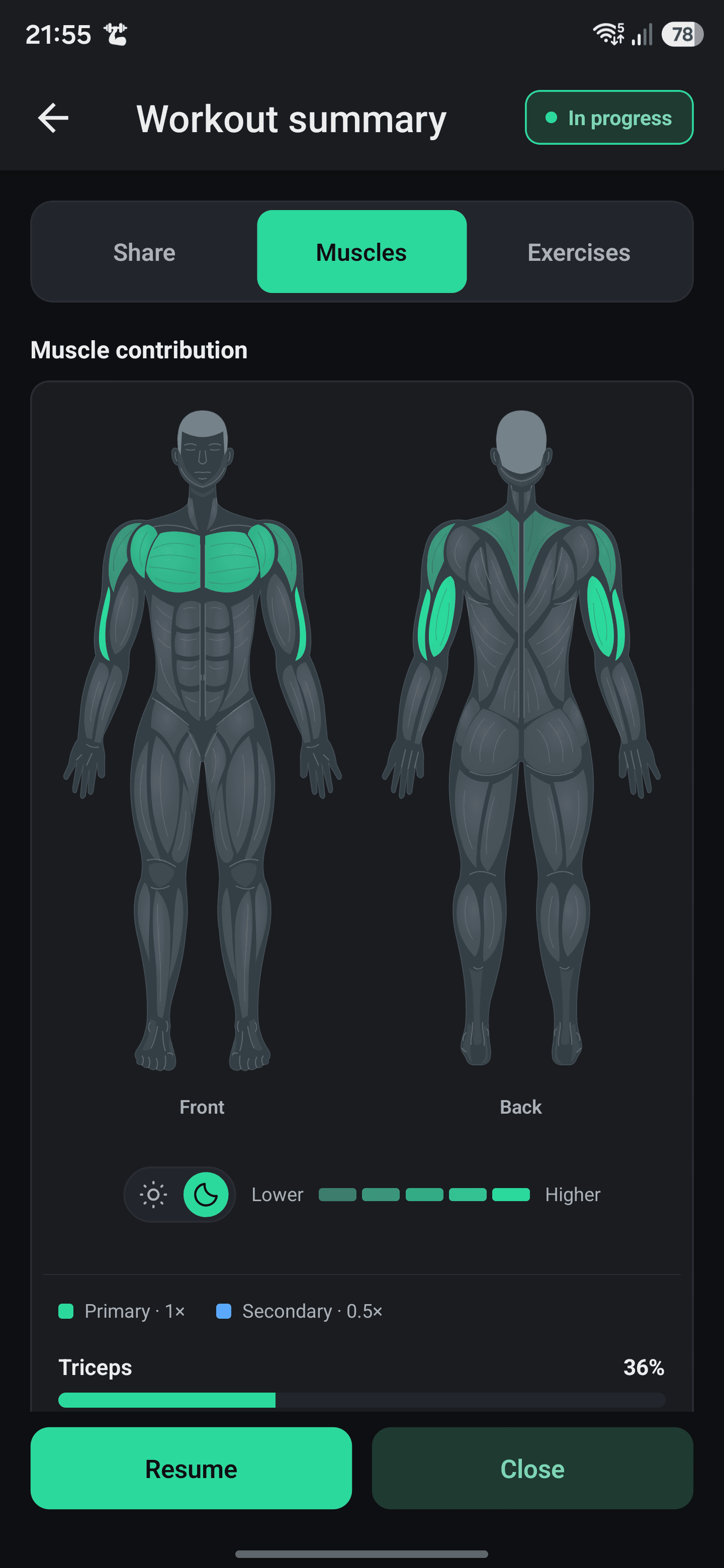
TrrackFit workout muscle contribution screen with front and back body maps, a contribution scale, and a resume button
07Muscle contribution

See where the work went.

Review your session’s muscle contribution with front and back body maps. The breakdown distinguishes primary and secondary involvement, and you can check it while a workout is still in progress.

  • Front and back muscle maps
  • Primary and secondary contribution
  • Review mid-session and resume training
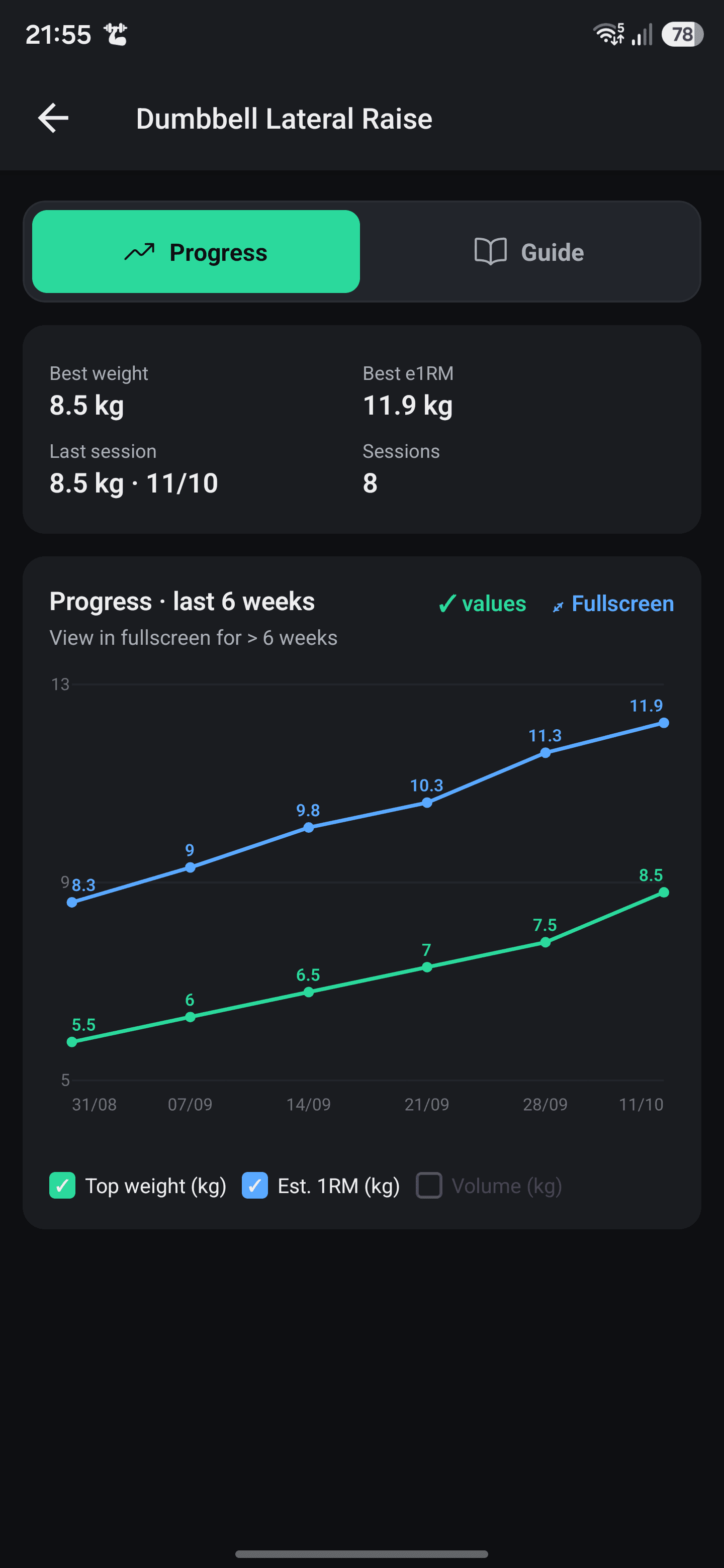
TrrackFit exercise progress screen with personal bests and a six-week strength chart
08Exercise progress

See strength take shape.

Open an exercise to review your latest performance, personal bests, and strength trend. Switch to the guide whenever you want a quick technique reminder.

  • Top weight and estimated 1RM
  • Six-week strength trends
  • Technique guidance one tap away
TrrackFit workout history with a training calendar and completed session details
09Workout history

Every workout stays useful.

Use the calendar to find a completed session and review its duration, exercise count, working sets, and volume. Open the full summary whenever you want to revisit the workout.

  • Calendar-based workout history
  • Session duration, sets, and volume
  • Open a workout’s full summary
TrrackFit body screen showing daily water intake, weekly body measurements, and a six-week weight trend
10Body progress

Track more than the bar.

Log daily water intake and record body weight and measurements alongside your training. Review your weekly check-in and follow longer-term weight changes in a clear chart.

  • Quick daily water logging
  • Weekly weight and measurement check-ins
  • Clear six-week weight trends

Workout guides

What to log, how to plan your routine, and how to tell if you’re making progress.

View all guides
Good to know

Questions, answered.

The essentials about free features, accounts, offline training, and backing up your progress.

Still have a question? Get in touch

What can I do for free?

Create unlimited custom exercises and routines, log workouts, use automatic rest timers, and review your local training history. These features are free and ad-free.

Can I create unlimited custom exercises and routines for free?

Yes. Create as many custom exercises and routines as you like for free, with no ads. There is no limit on either, and you do not need a Pro subscription.

Do I need an account to use TrrackFit?

No. Guest mode lets you use TrrackFit without an account or email address, with your training data stored on your phone. An account and Pro are needed for cloud backup and cross-device sync.

Can I use TrrackFit offline?

Yes. Workout logging and saved training history work offline. The exercise library and video guides need internet to load initially. Downloaded content can be used offline, and Pro cloud sync runs when you reconnect.

How do I back up my data or move to another phone?

Your training data is stored on your phone. For cloud backup, sign in with Pro and enable Cloud sync in Settings. Let your data finish syncing, then sign in to the same account and enable Cloud sync on your new phone to restore it.

What does TrrackFit Pro unlock?

Pro adds cloud backup and cross-device sync, fullscreen analytics, advanced workout and exercise notes, secondary body measurements, and premium dark and automatic themes. Monthly and yearly plans are available through Google Play.

Ready for a Better Workout Log?

Stop tracking your lifts in notes apps or cluttered social workout logs. Experience a fast, offline-first tool designed by lifters, for lifters.